Saturation
Super Saturator
Keep the lows clean, drive the upper part of the signal, and blend the result for anything from gentle density to obvious edge.
macOS AU/VST3 · Windows VST3 · Linux x64 VST3
How it works
Band-split saturation with clean lows.
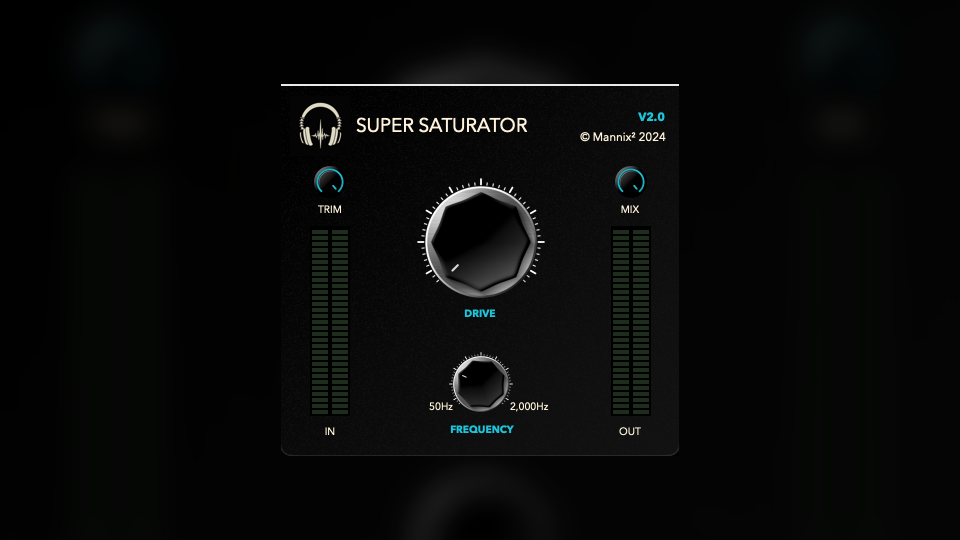
Super Saturator trims the input, separates the low end from the upper signal, leaves the lows clean, and adds harmonic drive above the selected crossover point.
- TrimControls how much level feeds the saturation stage, from silence up to the original input level.
- FrequencySets the crossover from 50 Hz to 2000 Hz. Audio below this point stays clean; audio above it is driven.
- DriveControls the saturation amount from 1 to 10. Lower values add density; higher values make the upper band more obviously driven.
- MixBlends dry and processed audio from 0% to 100%.
How to use it
Decide what stays clean first.
Super Saturator is useful when you want brightness, density, or edge without fuzzing up the sub and low-mid foundation.
- Set Trim firstPull Trim down if the source is already hot, then compare at a fair level so saturation is not winning only by loudness.
- Choose the crossoverLower Frequency when you want more body affected, or raise it when only upper mids and top end should distort.
- Add Drive in contextIncrease Drive until the part gains presence or grit, then back off if consonants, cymbals, or transients get sharp.
- Use Mix for parallel toneAt lower Mix settings, the clean low band and dry signal keep the source anchored while the driven high band adds character.
Free download
Included in the full Mannix² bundle.
Download Super Saturator with the rest of the free plugin collection for macOS, Windows, and Linux.