Movement and texture
Smear Campaign
Stack phase-shaping filters, spread them from a base frequency, and blend the result back in for movement, smear, and texture.
macOS AU/VST3 · Windows VST3 · Linux x64 VST3
How it works
A controllable all-pass stack.
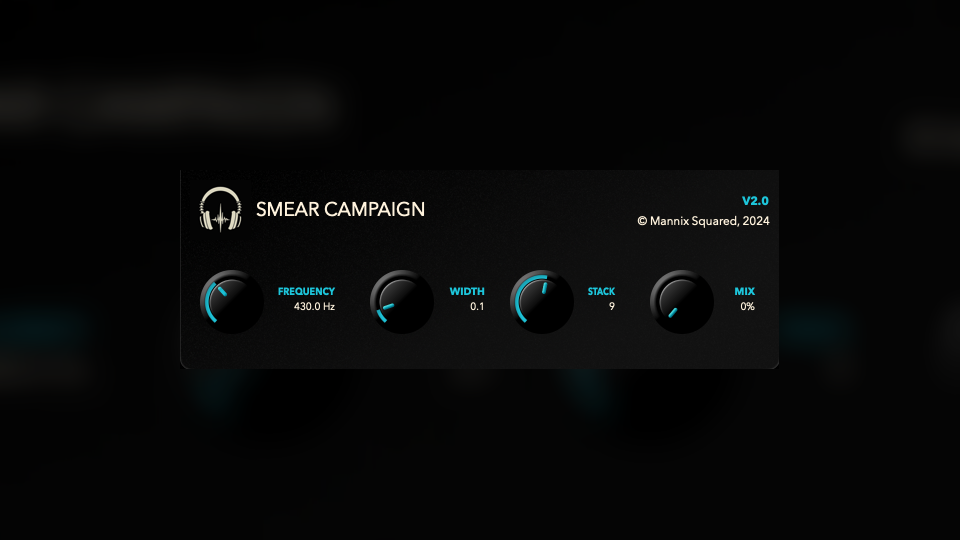
Smear Campaign runs the sound through a stack of phase-shaping stages. Instead of boosting or cutting like an EQ, it changes the feel, placement, and texture around the selected frequency area.
- FrequencySets the first all-pass frequency from 20 Hz to 20 kHz. This anchors where the smear effect is most noticeable.
- StackChooses how many all-pass stages are active, from 1 to 16. More stages create a denser and more obvious phase texture.
- WidthSpreads the stage frequencies upward from the base frequency. At higher Width settings, the stack covers a wider frequency area.
- MixBlends dry and processed audio from 0% to 100%. Keep it low for a subtle shift, or push it higher for obvious smear.
How to use it
Find the phase color, then blend it in.
Use Smear Campaign when a static part needs blur, shift, or movement without adding modulation delay or obvious pitch movement.
- Start with Mix lowSet Mix near 0%, then raise it until the phase movement becomes audible in the track.
- Place the anchor frequencyMove Frequency until the smear grabs the part of the sound you care about, such as body, presence, or brightness.
- Add stages only as neededIncrease Stack for density, then use Width to spread the effect so it does not sit too narrowly.
- Check mono and bypassBecause this is phase-based processing, compare in context and in mono before committing it to important center elements.
Free download
Included in the full Mannix² bundle.
Download Smear Campaign with the rest of the free plugin collection for macOS, Windows, and Linux.