Masking control
Mix Space
Route a sidechain into the plugin and use dynamic EQ or spectral ducking to reduce masking only when the lead signal needs space.
macOS AU/VST3 · Windows VST3 · Linux x64 VST3
How it works
Sidechain-driven masking control.
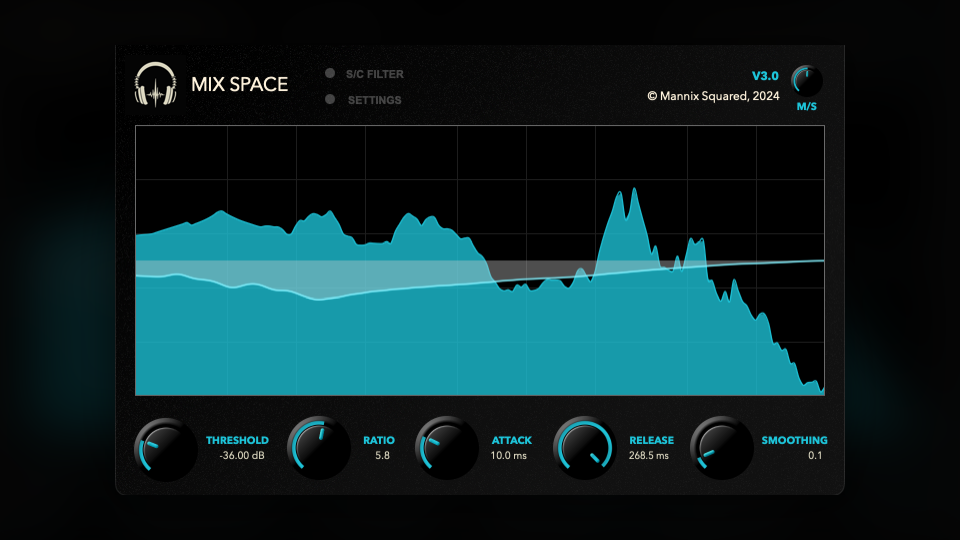
Mix Space listens to the sidechain input and reduces the main input where it is masking the lead. It can work as a smoother dynamic EQ style processor or as a more detailed spectral ducker.
- Processing ModeChoose Dynamic EQ for simpler broadband-style movement, or Spectral for more detailed frequency-bin ducking.
- Threshold and RatioThreshold sets when ducking begins from -72 dB to 0 dB. Ratio sets the strength from 1:1 to 10:1.
- Attack, Release, and SmoothingAttack and Release can run from 0 ms to 300 ms. Smoothing blends rapid spectral changes so the ducking feels less jumpy.
- MidSide and FilterMidSide controls how the processor treats center versus side information. Enable Filter limits what the sidechain detector reacts to, using HPFreq and LPFreq.
How to use it
Put it on the masker, feed it the lead.
Mix Space expects the important signal on the sidechain. Without a sidechain route, it has nothing useful to react to.
- Insert on the masking trackPlace Mix Space on the pad, guitar, keys, bus, or reverb return that is covering the lead.
- Route the lead to the sidechainSend the vocal, hook, kick, or featured sound into the plugin sidechain so the detector follows that part.
- Set Threshold and RatioLower Threshold until ducking starts only when the lead plays, then raise Ratio only as far as needed.
- Shape the responseUse Attack and Release for timing, Smoothing for less chattering, and HP/LP sidechain filtering when only part of the lead should trigger the carve.
Free download
Included in the full Mannix² bundle.
Download Mix Space with the rest of the free plugin collection for macOS, Windows, and Linux.